UmbraScript
UmbraScript is a talk-like scripting language for inspecting and automating content and media in Umbraco CMS.
Use readable statements in a dedicated backoffice section to inspect a tree, update properties, publish a branch, or organize media without building a one-off application.
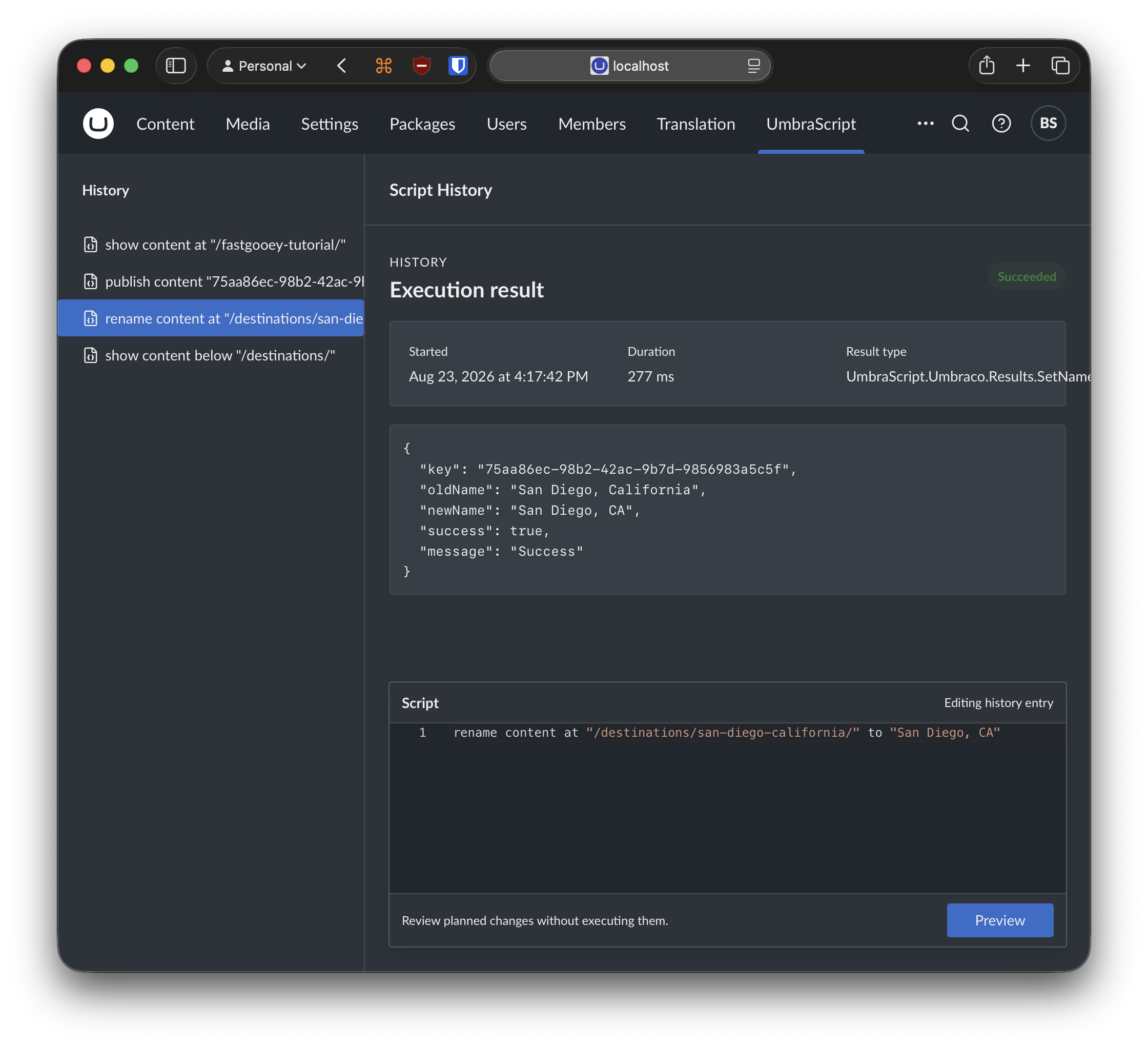
What you can do
- Inspect, create, publish, unpublish, rename, move, copy, trash, and restore content.
- Read, set, and clear content property values by alias.
- Inspect and organize media, including creating folders and moving items.
- Target one item by key or path, its direct children, or all of its descendants.
- Review structured JSON results with per-item outcomes for batch operations.
UmbraScript uses familiar Umbraco concepts such as content routes, content keys, Document Type aliases, property aliases, and the content and media trees. Keywords are case-insensitive, while names, paths, aliases, and values are written as quoted strings.
See it in action
Inspect one content item without changing it:
Inspect every descendant below a branch:
Update a property on the direct children of an item:
Publish every descendant below a branch:
Move a media item into another folder:
Install
UmbraScript is free to use with Umbraco CMS 17 and later.
Add the package to the directory containing your Umbraco project:
Build and restart the website. Then, as an administrator, open Users, select the appropriate user group, and enable the UmbraScript section under Assign access. Sign out and back in if the section does not appear immediately.
Read the complete installation guide
Start safely
UmbraScript can make broad changes quickly. Begin with a read-only command such as show content, show media, or show property, and use the same target or selection to inspect the affected items before running a command that changes data.
UmbraScript 1.0 does not provide a dry-run mode or a transaction across an entire batch. Check every per-item outcome and take an appropriate backup before making large production changes.
Run the five-minute first-command tutorial
Requirements and current scope
- Umbraco CMS 17 or later
- One statement per execution
- Content, property, and media commands
- JSON results
UmbraScript 1.0 does not currently define variables, comments, control flow, or multi-statement scripts. Property commands operate on content rather than media, and property changes save content without publishing it.
Learn more
- Documentation
- Language guide
- Command reference
- Permissions and safe use
- Compatibility and limitations
UmbraScript is created by Ben Szymanski. If it saves you time, you can support its development.